
- 01
Online at booking
Connect Stripe, PayPal, Square or Mollie under Settings → Payments and choose what is payable at booking — full price, a deposit, or pay-at-venue. The slot is held while the customer pays; an abandoned payment frees it automatically.
- 02
Connecting a payment provider
Each provider has its own section on that screen, and each one opens a step-by-step walk-through — where to sign up and exactly where in that provider’s dashboard each value lives. The setup is one paste: save the credentials and VoltsBook registers the provider’s webhook for you, checks the connection, and answers with one sentence saying whether customers can pay. Return addresses default to your booking page, so most businesses type nothing but the keys.
- 03
Prove it works before a customer does
Every payment method has a "Test connection" button, and every save runs it for you. It asks the provider whether your saved details actually work — takes no money, changes nothing, and you can press it as often as you like. Without it the first proof a key is right comes from a real booking, and if the key is wrong that booking still goes through, holds the slot, and shows the customer an apology instead of a payment page.
- 04
The webhook, and who sets it up
A webhook is how the provider tells us a payment went through even if the customer closed the tab on the way back; without one, payments are confirmed only when the customer lands back on your booking page. VoltsBook registers it at the provider automatically when you save your keys — right address, right events — and if you already registered one pointing at your booking page it is adopted, never duplicated. Prefer to manage it yourself? The manual fields live under each section’s Advanced fold, and a value you paste there is never overwritten. Mollie needs no webhook at all; we hand it the address with every payment.
- 05
At the counter
Record a payment on the appointment — cash, card, bank transfer, check. The appointment’s payment status derives from the money recorded against it, always.
- 06
Payment links and invoices
Send a payment link for the balance, or generate a PDF invoice from your invoice template — five designs, your logo, your numbering. Both live on the appointment’s payment window.
- 07
Refunds
Refunds go back through the rail the money came in on — Stripe, PayPal and Square refunds are sent from the panel. A gift-card payment refunds as stored value.
Worth knowing
- Taxes (inclusive and exclusive), coupons, conditional prices and gift cards all compose in a fixed, audited order — the receipt shows every line.
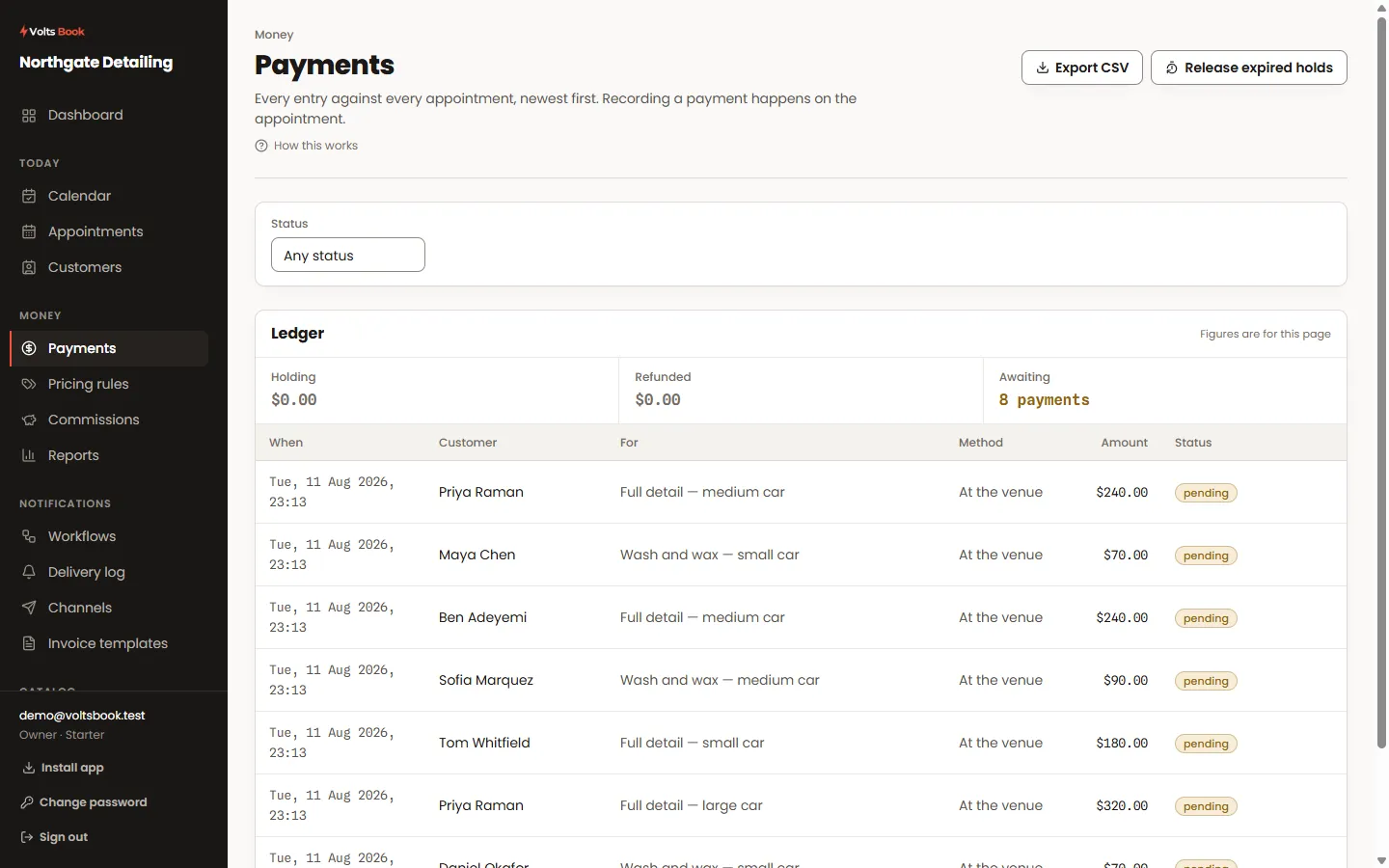
- The Payments screen is money-first: rows are payments, and Holding / Refunded / Awaiting strips show what needs a look.
- Each provider’s section lists the exact messages to switch on in its dashboard. Ticking extra ones is harmless — anything we do not act on is checked and dropped — so if in doubt, tick more rather than fewer.
- Square is the fussy one: it signs the notification address together with the message, so the URL saved in VoltsBook has to match what you entered in Square character for character. The screen warns you when the two have drifted apart.
- Test first. Stripe and Mollie decide test-or-live from the key itself; PayPal and Square have an Environment setting, and each environment has its own separate credentials. The status strip says when a method customers can see is still in test mode.
