
- 01
Find things fast
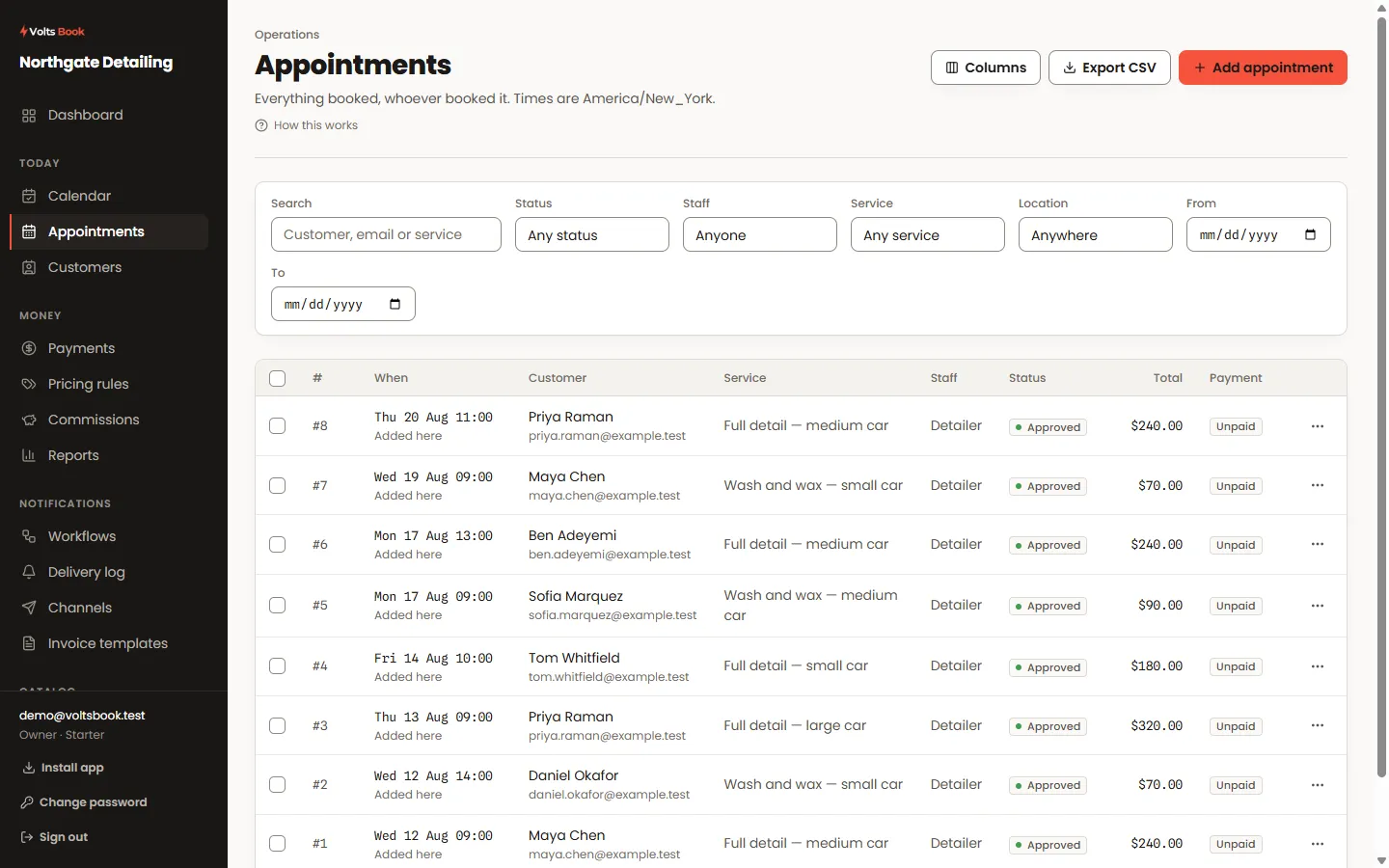
Search matches names, phone numbers and appointment numbers — typing 523 or #523 both find the booking a customer quotes. Columns are yours to choose and reorder, and the layout is remembered.
- 02
Change things in place
The status chip opens the status change; the payment chip opens the payment window. Select several rows for bulk status changes or deletion. The kebab menu on each row carries the rest.
- 03
The editor drawer
One drawer creates and edits: what, when, who, the customer’s answers, products sold, payment, and the check-in packet — each a tab. Rebooking re-checks the time against availability properly; a paid appointment refuses silent repricing.
- 04
Recurring bookings
A weekly series books as one action. Cancelling can take one occurrence or the rest of the series.
Open the drawer, pick the service and the price appears, choose from the times that actually fit, then find the customer by typing part of their name. The footer always shows what you are about to save.
Search matches names, phone numbers and appointment numbers as you type. The status chip is a door — click it and the status change opens on the spot, without leaving the list.
Worth knowing
- Every appointment has a number your customers can quote — it is in emails, exports and the list. Numbers continue from your old system if you migrated.
- The calendar view offers the same doors: click an empty slot to book it, an event to open it.
