
- 01
Add or edit a service
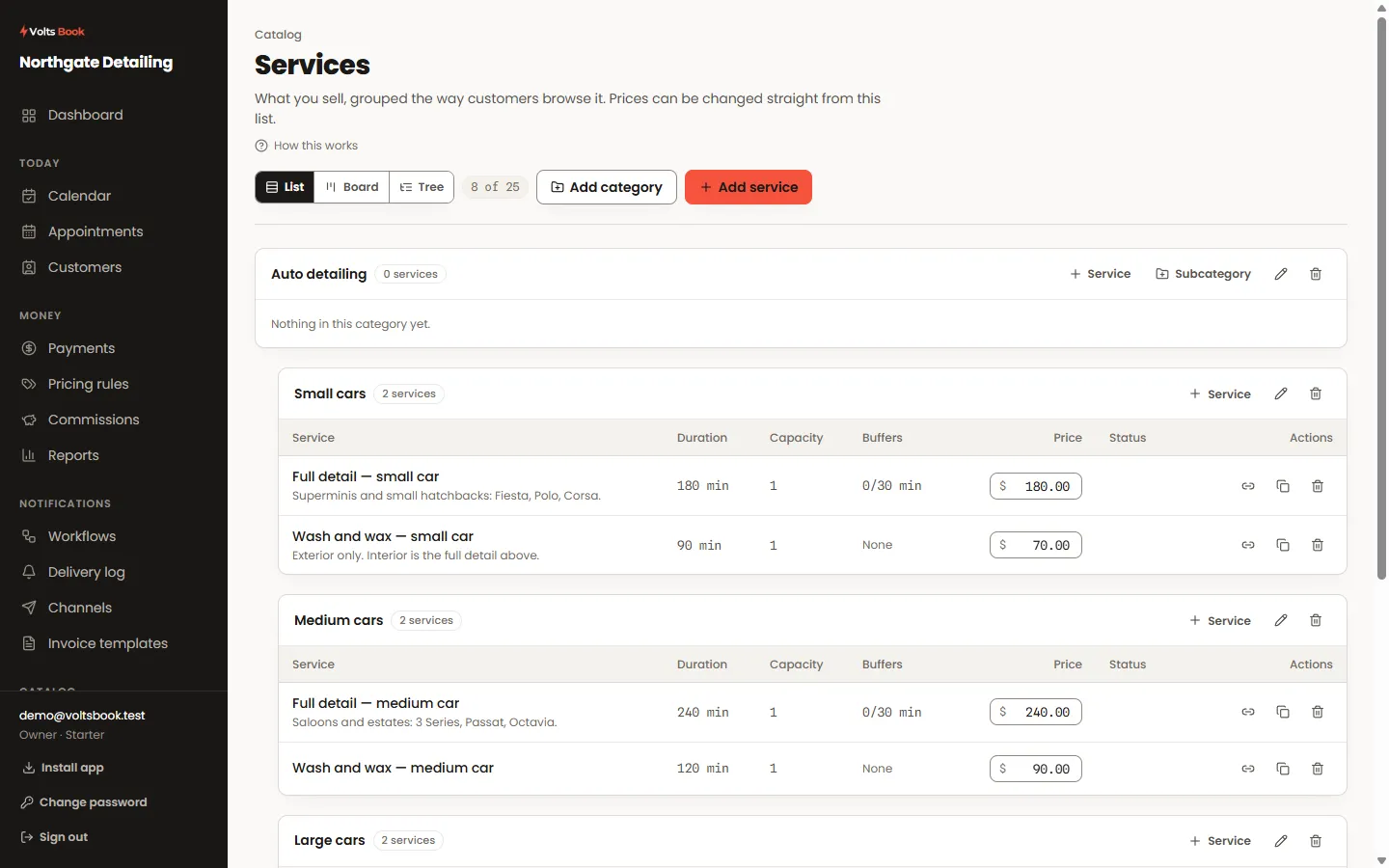
Open Services and pick one, or add a new one. The two fields that matter most are duration — it decides which time slots fit — and price. Categories group the list; a category can sit inside one parent, which is how "Small car / Medium car / Large car" lives under one heading.
- 02
Show a price range instead of one number
If a job depends on condition — paint correction, deep cleans — set "Up to (optional)" beside the price. The booking page then shows "$150–$400". The booking itself charges the base price; you settle the final figure when you see the job, with an adjustment or by repricing.
- 03
Sell one service at several lengths
Custom durations let one service be booked at 30, 60 or 90 minutes, each with its own full price. If a service has durations, customers pick one as a step; if not, the step never appears.
- 04
Extras
Extras are add-ons offered after the service is chosen — they can add time and money. Group them with extras categories, and copy a whole set of extras from one service to another instead of retyping them.
Worth knowing
- Buffers (before/after) pad the appointment without showing the customer — travel, cleanup, setup time.
- A service with nobody assigned to deliver it never appears on the booking page. If a service is missing there, check its staff assignments first.
